Getting started
Sign in to Mail by vizsu
Sign in to webmail and the admin dashboard with your vizsu account (single sign-on), first sign-in and signing out.
Webmail and the admin dashboard use your vizsu account (single sign-on). One sign-in covers both.
| Where | Address | Sign in with |
|---|---|---|
| Webmail | https://mail.vizsu.com | vizsu account |
| Admin dashboard | https://mail.vizsu.com/admin | vizsu account (owners and admins) |
| Email apps (IMAP/SMTP) | mail.vizsu.com | App password, not your vizsu password |
First sign-in
- Your admin creates your mailbox. You get either an invitation at your recovery email, or a one-time setup link from your admin.
- Open the invitation or link and set your vizsu account password.
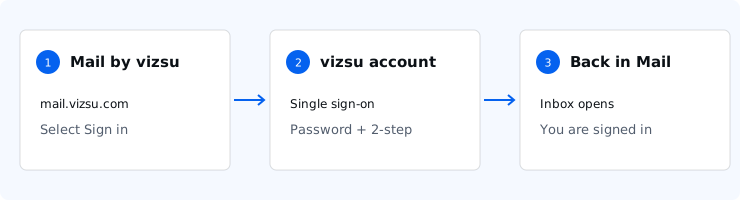
- Go to https://mail.vizsu.com and choose Sign in. You are sent to the vizsu sign-in page and back to your inbox.
If your admin set a password for you directly, use your email address and that password.
Signing out
In webmail open Settings → Account → Sign out. Signing out ends your vizsu session in that browser.
Troubleshooting
- Forgot your password: use the forgot-password option on the vizsu sign-in page, or ask your admin. See Set or reset your password.
- The setup link expired: ask your admin to generate a new one from your user page.
- You see the dashboard but not your inbox, or the reverse: the dashboard is only for owners and admins; everyone else uses webmail.