Email apps
Set up any other email app
Generic IMAP and SMTP steps for any email app not covered by a dedicated guide.
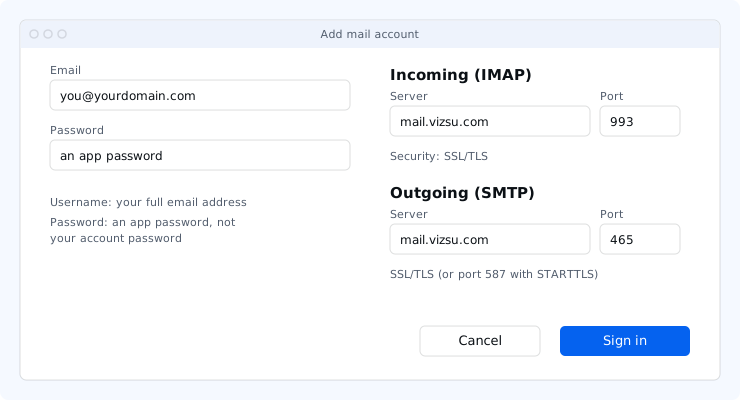
Before you start, create an app password in webmail under Settings → Password & security. Your vizsu account password does not work in email apps.
Steps
- Add a new account and choose manual setup, IMAP or "Other".
- Enter the incoming and outgoing settings below.
- Username: your full email address for both servers. Password: the app password for both.
- Turn on authentication for the outgoing server ("My server requires authentication", "Normal password").
Settings
| Server | Port | Security | |
|---|---|---|---|
| Incoming (IMAP) | mail.vizsu.com | 993 | SSL/TLS |
| Outgoing (SMTP) | mail.vizsu.com | 465 | SSL/TLS |
| Outgoing, alternative | mail.vizsu.com | 587 | STARTTLS |
Not supported: POP3, unencrypted IMAP (143) and unencrypted SMTP. Exchange/ActiveSync is not offered.
Troubleshooting
- Authentication failed: the username must be your full address and the password an app password. Create a new one if unsure.
- Can't send: make sure the outgoing server requires sign-in with the same username and password. If port 465 is blocked on your network, use 587 with STARTTLS.
- More fixes: Troubleshoot email apps.