Email apps
IMAP access
Read your Mail by vizsu mailbox in any IMAP app: settings, steps and what syncs (folders, read state, flags).
IMAP keeps your email app in sync with your mailbox on the server. Messages, folders, read and flagged state are the same in webmail and every app.
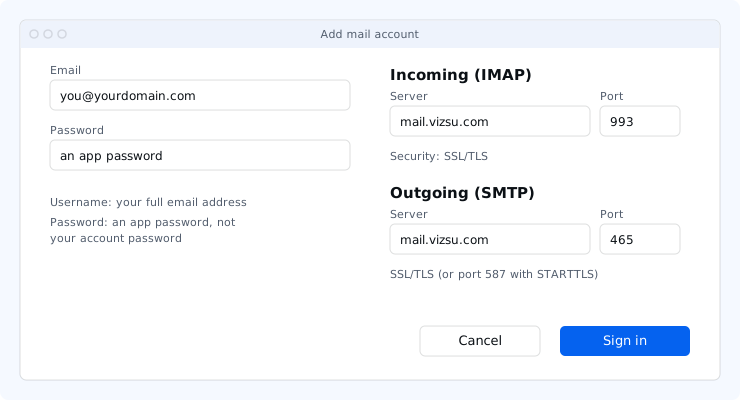
Quick settings
- IMAP server
mail.vizsu.com- IMAP port
993, SSL/TLS- SMTP server
mail.vizsu.com- SMTP port
465 SSL/TLS, or 587 STARTTLS- Username
Your full email address- Password
An app password
Set up IMAP
- Create an app password.
- In your app, add a new account and choose IMAP (sometimes called "Other" or "Manual setup").
- Incoming server
mail.vizsu.com, port993, SSL/TLS. - Outgoing server
mail.vizsu.com, port465SSL/TLS (or587STARTTLS), sign-in required. - Username: your full address. Password: the app password.
Only encrypted IMAP on port 993 is available. Plain IMAP on port 143 is not offered.
Shared mailboxes you have access to appear in IMAP apps alongside your own folders.
Troubleshooting
- Authentication failed: the username must be your full address and the password an app password. Create a new one if unsure.
- Can't send: make sure the outgoing server requires sign-in with the same username and password. If port 465 is blocked on your network, use 587 with STARTTLS.
- More fixes: Troubleshoot email apps.