Email apps
Email app settings (IMAP and SMTP)
Server names, ports and security for Mail by vizsu: IMAP mail.vizsu.com:993 SSL/TLS, SMTP 465 SSL/TLS or 587 STARTTLS.
Use these settings in any email app that supports IMAP: Apple Mail, Outlook, Thunderbird, the Gmail app on Android and others.
Quick settings
- IMAP server
mail.vizsu.com- IMAP port
993, SSL/TLS- SMTP server
mail.vizsu.com- SMTP port
465 SSL/TLS, or 587 STARTTLS- Username
Your full email address- Password
An app password
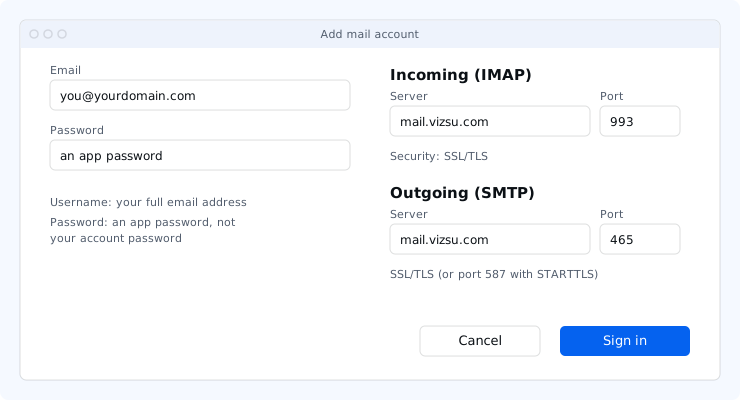
| Server | Port | Security | |
|---|---|---|---|
| Incoming (IMAP) | mail.vizsu.com | 993 | SSL/TLS |
| Outgoing (SMTP) | mail.vizsu.com | 465 | SSL/TLS |
| Outgoing, alternative | mail.vizsu.com | 587 | STARTTLS |
- Username: your full email address, e.g.
jane@acme.com. - Password: an app password. Your vizsu account password is not accepted by IMAP or SMTP.
- Outgoing server: requires sign-in, with the same username and password.
- POP: not offered. See POP access.
If your admin added the autoconfig and autodiscover DNS records, Thunderbird, Outlook and some other apps fill these in from your email address alone.
In webmail, Settings → Password & security also shows step-by-step instructions for your app and a setup QR code.