Users & admin
Mail policy: attachments, forwarding and sending limits
Set organisation-wide rules for blocked attachments, message size, external forwarding, internal-only users and sending limits.
Owners and admins set organisation-wide rules in Settings → Mail policy. Nothing changes until you save: every rule starts at today's behaviour.
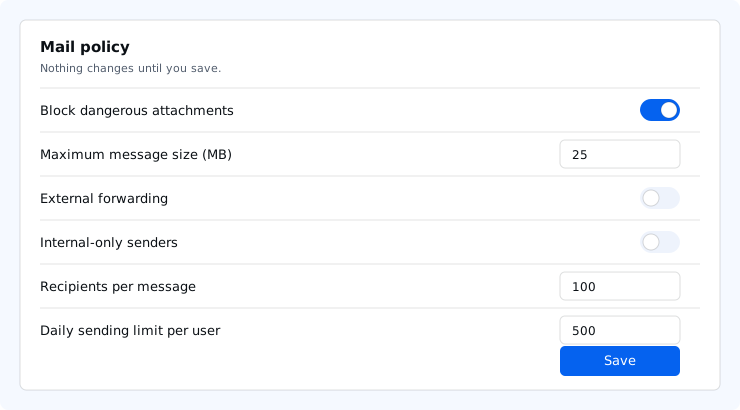
| Rule | What it does | Takes effect |
|---|---|---|
| Block dangerous attachments | Outgoing mail with executables, scripts, disk images or macro documents is refused. You can allow listed types or block more. | Within a few minutes |
| Maximum message size | Outgoing messages above the size (in MB) are refused. Empty means the server limit. | Within a few minutes |
| External forwarding | When off, users cannot forward mail automatically to addresses outside your domains, and existing external forwards stop. Saved forwarding settings are kept and work again if you turn it back on. | Immediately |
| Internal-only senders | Mail users (the Mail user role), or the users you list, can only send to addresses on your domains. | Immediately |
| Recipients per message | Messages to more recipients than this are refused. | Immediately |
| Daily sending limit per user | Lowers each user's rolling 24-hour recipient limit. It can never raise the limit of your plan. | Immediately |
A refused message is bounced to the sender with a reason, or shown as an error in webmail. Every change is recorded in the audit log.
Attachment and size rules apply to mail your users send. Incoming mail keeps the server-wide checks described in Spam and virus filtering.